Boolean
Quick, non-destructive booleans drawn directly in the viewport.
Video: BagaPie 11 - Parametric Tools, from 9:03.
Add a boolean
- Select a mesh.
- Press J and choose Union or Difference.
- BagaPie creates a hidden cutter object parented to your mesh, enters its Edit Mode and activates Blender's Add Cube tool.
- Draw as many volumes as you need, then leave Edit Mode.
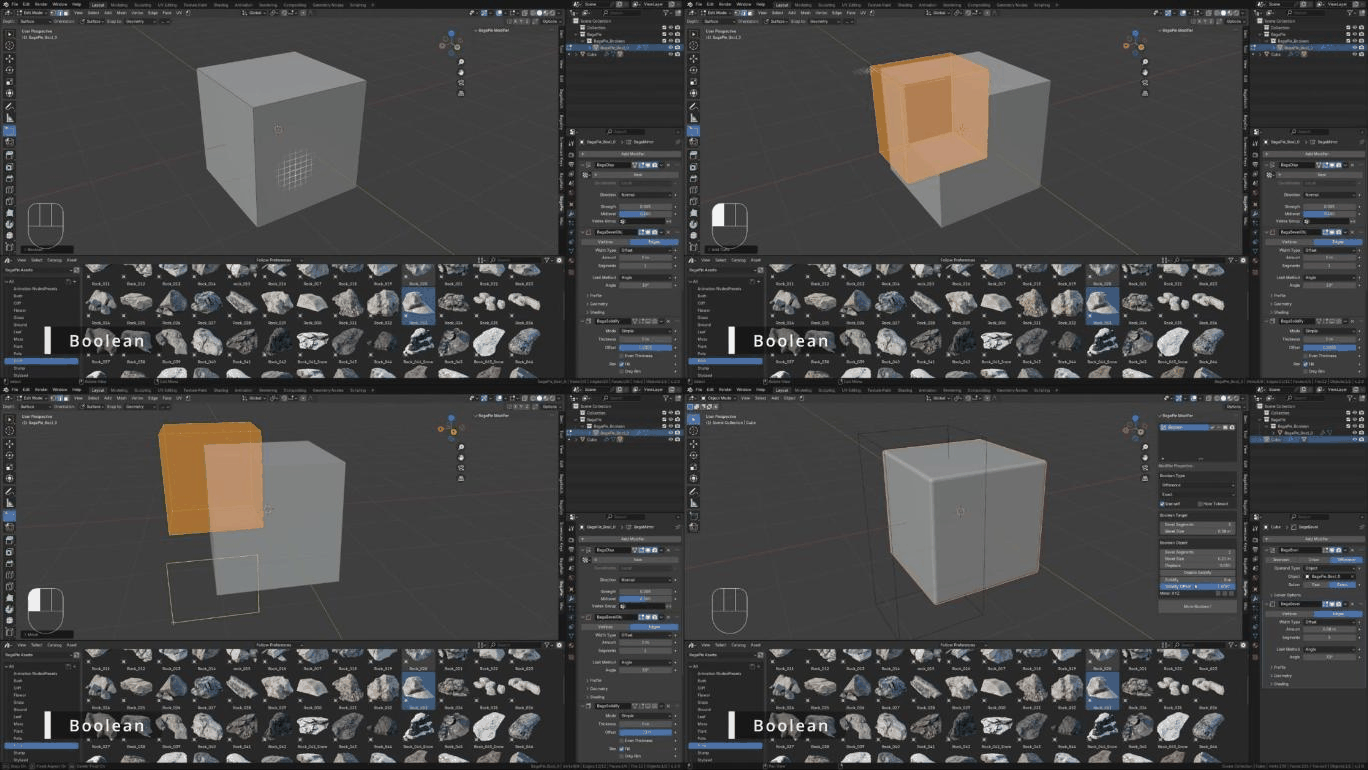
The cutter is displayed as bounds and is invisible in renders. It is stored in BagaPie > BagaPie_Boolean.
Settings
| Setting | Effect |
|---|---|
| Boolean Type | Union or Difference; Exact or Fast solver |
| Use self, Hole Tolerant | Blender boolean options, shown with the Exact solver |
| Boolean Target: Bevel Segments / Bevel Size | Bevel added to your mesh |
| Boolean Object: Bevel Segments / Bevel Size | Bevel added to the cutter |
| Displace | Small offset of the cutter, to avoid coplanar faces |
| Use Solidify / Solidify / Solidify Offset | Give thickness to the cutter, useful for flat shapes |
| Mirror XYZ | Mirror the cutter around your mesh, handy for symmetric sci-fi details |
| More Boolean ! | Go back into the cutter's Edit Mode to add volumes; EXIT to leave |
Apply and remove
Apply (✓) applies the boolean and the related modifiers. Remove (−) deletes the boolean and its cutter.